





*Tunisia: Oum Ettamer, Medenine 4111
*France: 28 Rue du Guet, Clamart 92140 FR

Looking for reliable WordPress hosting without making the setup unnecessarily complicated? Bluehost combines WordPress hosting, domain registration, an AI-powered website builder, performance tools, security features and support in one platform.
In this updated ClickTN review, we look at Bluehost WordPress Hosting from a practical buyer’s perspective: what you get, current advertised pricing, renewal costs, performance and security features, and which type of website each plan makes sense for.
Check Bluehost’s current plans and choose the option that fits your website, traffic and budget.
Bluehost is worth considering if you want an easy WordPress setup, bundled website tools and a hosting provider with multiple plans to grow into. Its current WordPress offering includes features such as an AI website builder, free SSL, CDN, managed WordPress updates, migration tools and 24/7 support, with the exact feature set depending on the plan.
The main point to watch is pricing: the attractive introductory rate is tied to a specific billing term, while the renewal price is higher. Always compare the promotional price, renewal price and total checkout cost before paying.
At the time of this update, Bluehost’s published US WordPress hosting pricing lists the following starting prices for a 36-month term:
| Plan | Advertised starting price* | Best suited for |
|---|---|---|
| Starter | $3.99/month | A first website, blog or small project |
| Business | $6.99/month | Multiple websites and growing businesses |
| eCommerce Essentials | $14.99/month | Online stores and WooCommerce projects |
*Promotional prices, billing terms, renewal rates, taxes and available offers can change. Check the final checkout page before purchasing.
For example, Bluehost’s current pricing page lists renewal pricing substantially above the introductory rate. This is normal in the hosting industry, but it is important to factor the renewal cost into your long-term budget rather than choosing a host based only on the first promotional period.
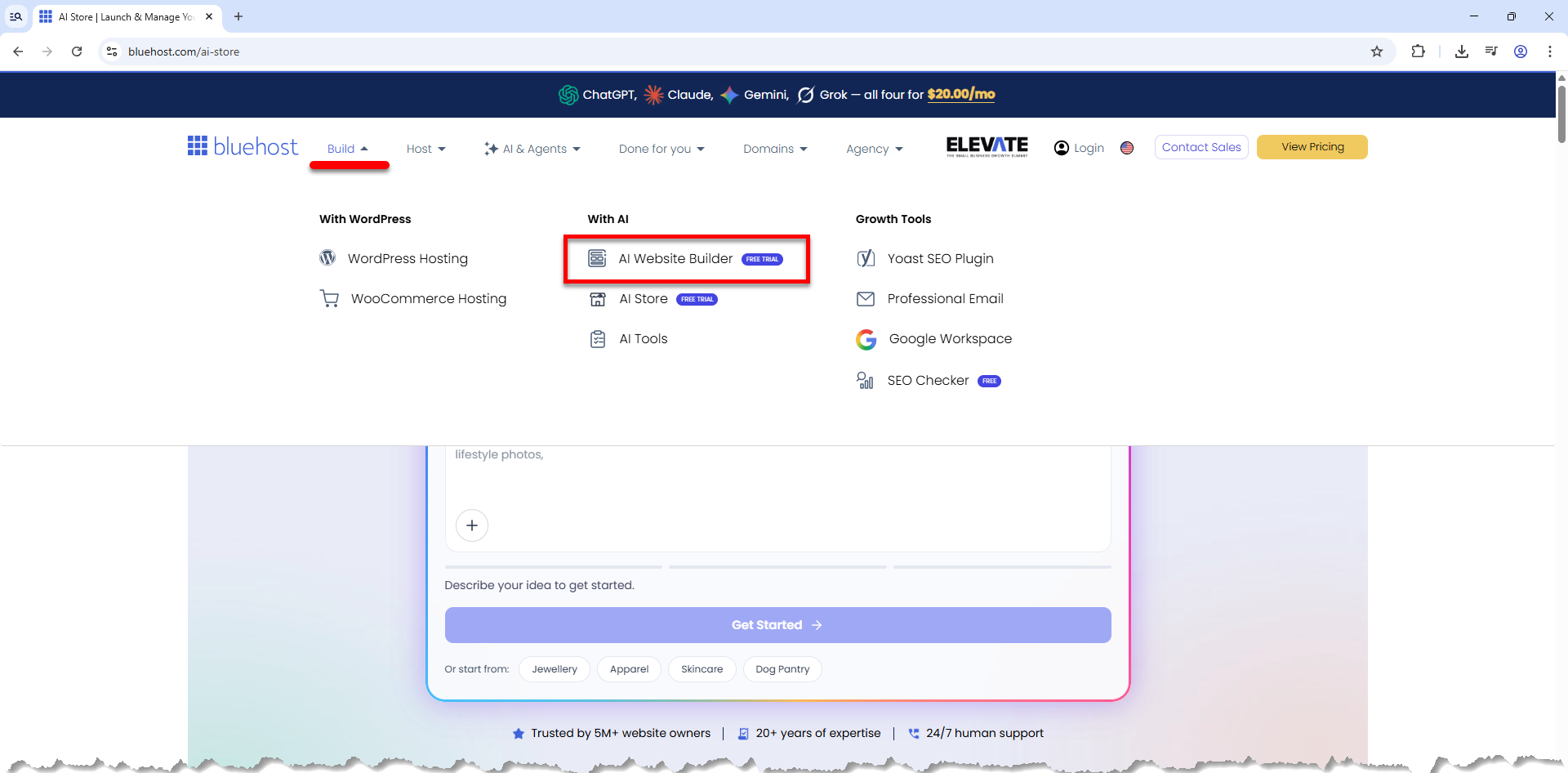
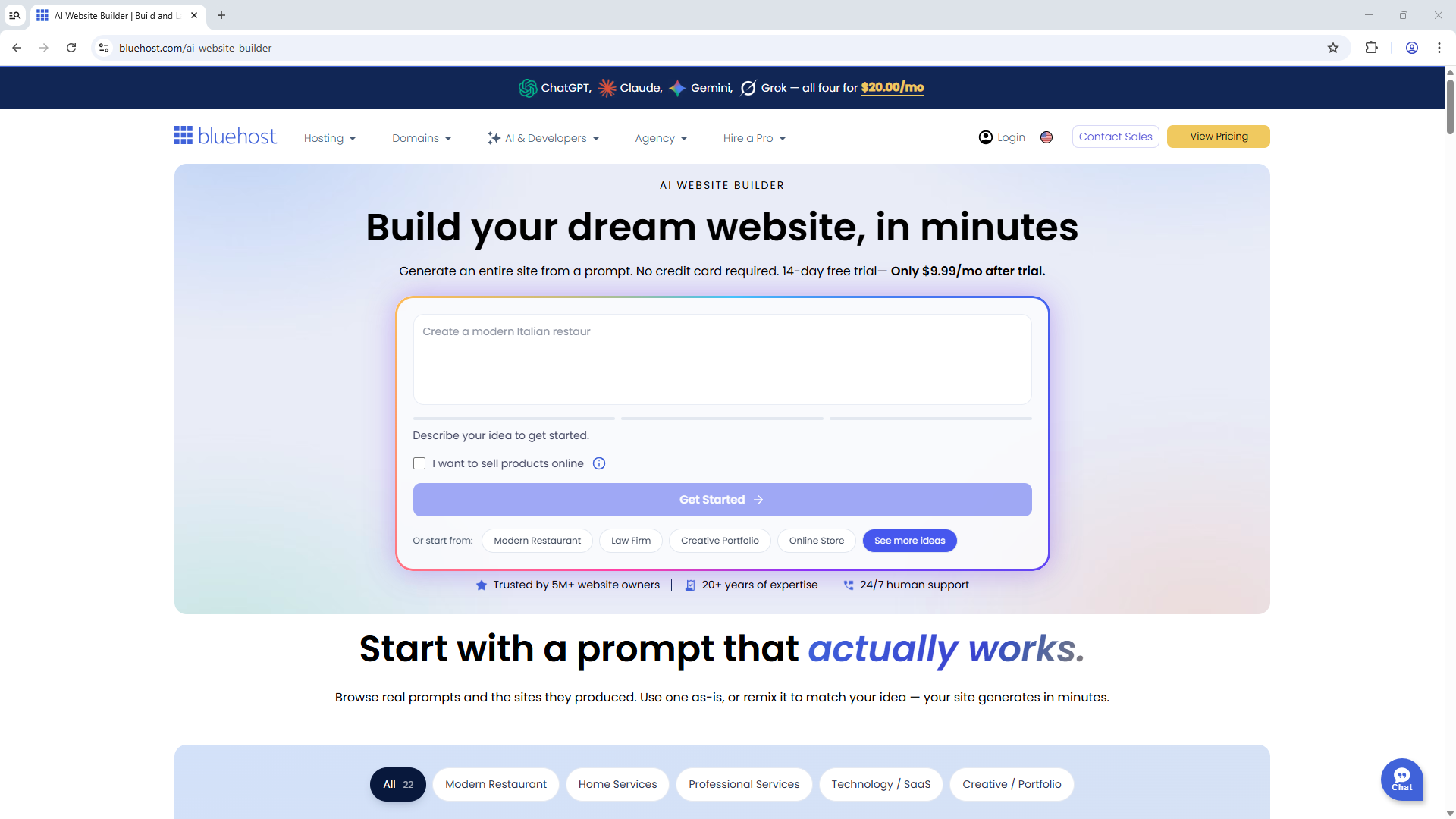
One of Bluehost’s more interesting additions is its AI-powered website creation experience. Instead of starting from a blank WordPress installation, you describe your business, website type and preferences, and the builder can generate multiple website options that you can compare and customize.
This is particularly useful for beginners, small businesses and entrepreneurs who want to get a professional WordPress site online without spending hours choosing a theme and building the initial structure.
Importantly, Bluehost describes the result as a real WordPress website rather than a completely separate proprietary website builder. That means you retain access to WordPress themes, plugins and the normal WordPress editing environment.
Bluehost also offers a separate conversational product for creating websites and browser-based web apps from natural-language instructions. These are different experiences with different workflows. Read our Bluehost AI Builder review for a closer look at its free plan, monthly credits, pricing and limitations before deciding which approach fits your project.
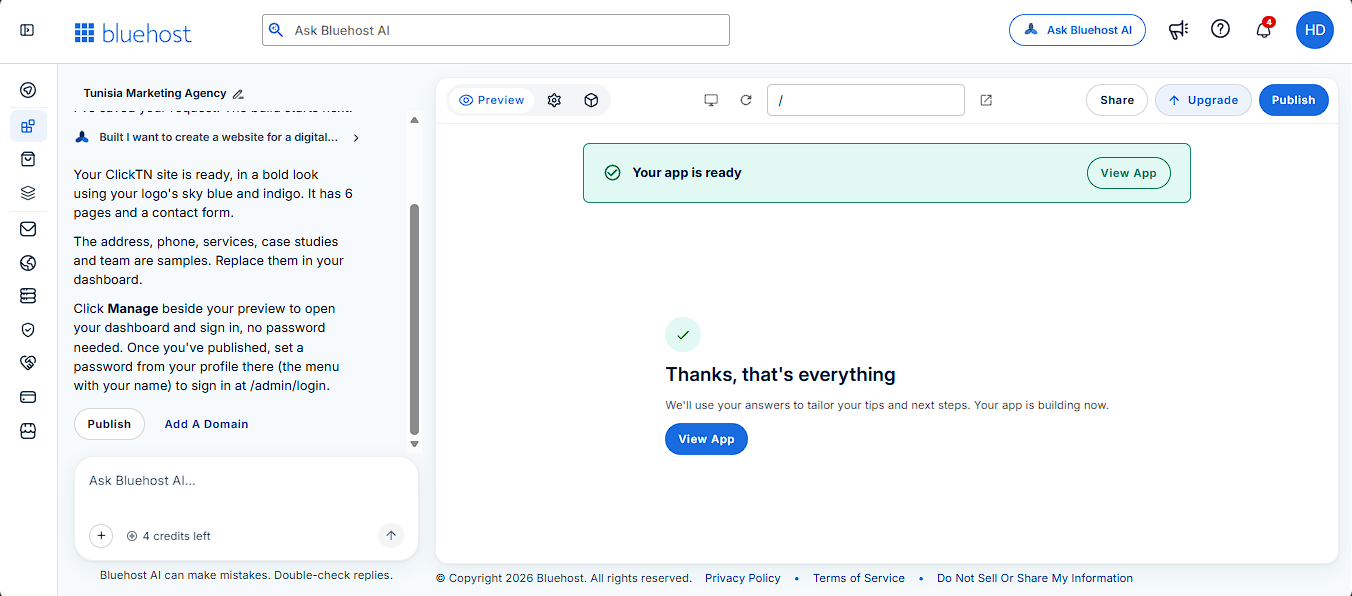
Bluehost now offers a second, distinct AI creation experience: Bluehost AI Builder. It should not be confused with the WordPress-focused AI Website Builder described above. The newer service uses a conversational workflow to create hosted websites and browser-based web apps from a written brief. It is aimed at businesses that need more than a set of static pages—for example, a booking request flow, quote form, customer portal, directory or a simple internal tool.
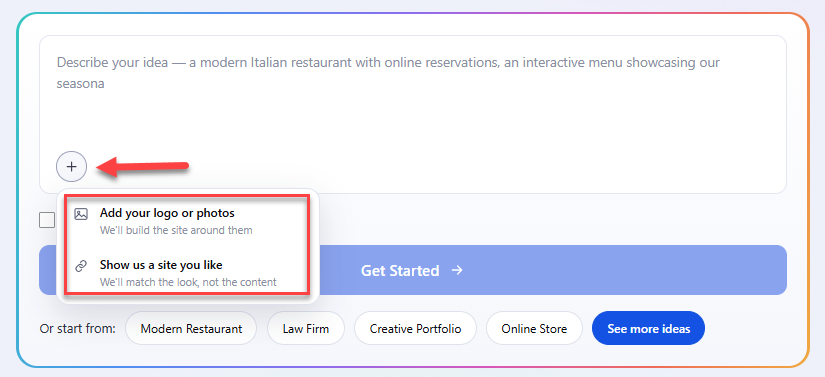
With AI Builder, you describe the business, the audience and what the website or app should do. The builder can ask follow-up questions, generate an initial version, and accept further instructions through chat. You can also provide your own logo, photos, documents or a reference website to guide the design. Bluehost says the reference is used for visual direction such as layout, colour and tone, rather than copying another site’s text or images.
The distinction is in the end result. A conventional business website might present services and contact details; AI Builder can also be used to create workflows around the website. Bluehost describes features such as saved form submissions, user accounts with roles and an administration panel. This makes it relevant to service businesses that need to receive and manage enquiries, not just publish information.
AI Builder can also connect a project to selected external services. Bluehost’s integration guide describes email notifications through services such as Resend or Postmark, calendar-related workflows using Google Calendar credentials, and custom connections through API keys stored in the builder’s Secrets area. These connections require configuration and testing; they should not be assumed to work automatically for every account or workflow.
Bluehost’s official AI Builder pricing page lists a free plan and three paid tiers. The figures below are the published monthly prices shown on the product page when checked on 16 November 2026. They are not a guarantee of the final checkout amount; billing term, region, tax and future promotions may affect what you pay.
| Plan | Monthly price | AI credits | Publishing |
|---|---|---|---|
| Free | $0 | 5 per day, up to 30 per 30-day period | Free Bluehost AI Builder address |
| Lite | $20/month | 100 per month | Connect your own domain |
| Standard | $40/month | 200 per month | Connect your own domain |
| Pro | $80/month | 400 per month | Connect your own domain |
Bluehost states that hosting is included on every plan and does not consume AI credits. The Free plan does not require a credit card and has no fixed end date, but it publishes to an automatically generated address ending in .app.bluehost.ai. Bluehost’s help documentation says this free address is not indexed by search engines. A business that wants to build its search presence around its own brand and domain should factor a paid plan into its budget.
Credits are used when you ask the AI to create or change the website or app. Bluehost explains the current credit rules in its AI Builder plans and credits guide:
Extra credit top-ups are also available. This makes the Free plan useful for testing a focused idea, but not for unlimited redesigns. Before you start, prepare your page list, service descriptions, brand assets and main customer action. Clear instructions can reduce unnecessary revision requests and help you use the monthly allowance more efficiently.
For a detailed walkthrough, screenshots, a closer look at credits and the product’s limitations, read our Bluehost AI Builder review.
Start with the free plan, test a focused website or app idea, and upgrade only when you need a custom domain or a larger monthly credit allowance.
Affiliate link. ClickTN may earn a commission from an eligible purchase at no additional cost to you.
Bluehost’s current WordPress hosting pages highlight NVMe storage, global CDN delivery and caching features. These can contribute to better loading performance, but hosting alone does not guarantee a fast website.
Your real-world speed will also depend on your theme, plugins, images, JavaScript, caching configuration, database size and traffic. If speed matters for SEO or conversions, measure the finished website with tools such as Google PageSpeed Insights rather than relying only on a hosting provider’s marketing claims.
Security is another important part of the comparison. Bluehost currently lists free SSL, malware scanning, a web application firewall and DDoS protection on its hosting offerings. Backup availability and the depth of security features can vary between plans.
For a business website, do not simply ask whether backups exist. Check how often they are created, how long they are retained and how restoration works. It is also good practice to maintain an independent backup of your WordPress site.
Bluehost advertises 24/7 support for its hosting products. The exact support channels can vary by plan, so check whether your chosen package includes the phone or support options you actually need.
| Pros | Things to consider |
|---|---|
| Beginner-friendly WordPress setup | Renewal pricing is higher than promotional pricing |
| AI-powered website creation tools | Features vary by plan |
| SSL, CDN and performance features | A fast host does not automatically make every website fast |
| Multiple hosting tiers for different needs | You should compare the total long-term cost before buying |
| 24/7 support listed on current plans | Support channels differ by plan |
You are launching one or a small number of websites and want the simplest entry point. The current Starter plan lists 10 websites and 10 GB NVMe storage.
You manage several websites or expect your business site to need more storage and resources. The current Business plan lists 50 websites and 50 GB NVMe storage.
Your primary goal is to build an online store. This plan adds commerce-oriented functionality and is positioned for websites that need more than basic WordPress hosting.
Bluehost is a reasonable option for:
If you are running a very high-traffic application, a highly customized infrastructure or a resource-intensive web application, you should compare Bluehost with managed VPS, cloud or dedicated hosting options before making a decision.
For a new WordPress website, Bluehost is worth comparing because it combines hosting, WordPress tools, AI-assisted site creation, SSL, performance features and support in one ecosystem.
But don’t choose a plan solely because of the introductory price. Check the contract length, renewal rate, included resources, backups, security features and the final amount shown at checkout.
Bluehost is designed to support WordPress websites and currently offers WordPress-focused hosting, an AI website builder, managed updates, SSL, CDN and WordPress-specific support features.
Bluehost currently advertises a free domain for the first year on its listed WordPress hosting plans. Eligibility and terms can change, so confirm the offer at checkout.
Yes. Bluehost currently advertises a 30-day money-back guarantee for eligible hosting purchases. Review the provider’s current terms before purchasing.
No. Promotional pricing applies to a specified billing term. Renewal pricing is higher, so always review both figures before committing.
Yes. Bluehost’s WordPress hosting uses WordPress, allowing you to work with the WordPress ecosystem of themes, plugins and editing tools. If you are comparing hosting types, read our guide to VPS hosting and our Contabo VPS review for additional context before choosing a setup.
Affiliate Disclosure: This article contains affiliate links. If you purchase Bluehost through a ClickTN referral link, ClickTN may receive a commission at no additional cost to you. Our editorial content is intended to provide useful information so you can evaluate the service, pricing and terms before making a purchase.
*Tunisia: Oum Ettamer, Medenine 4111
*France: 28 Rue du Guet, Clamart 92140 FR
