Step 01
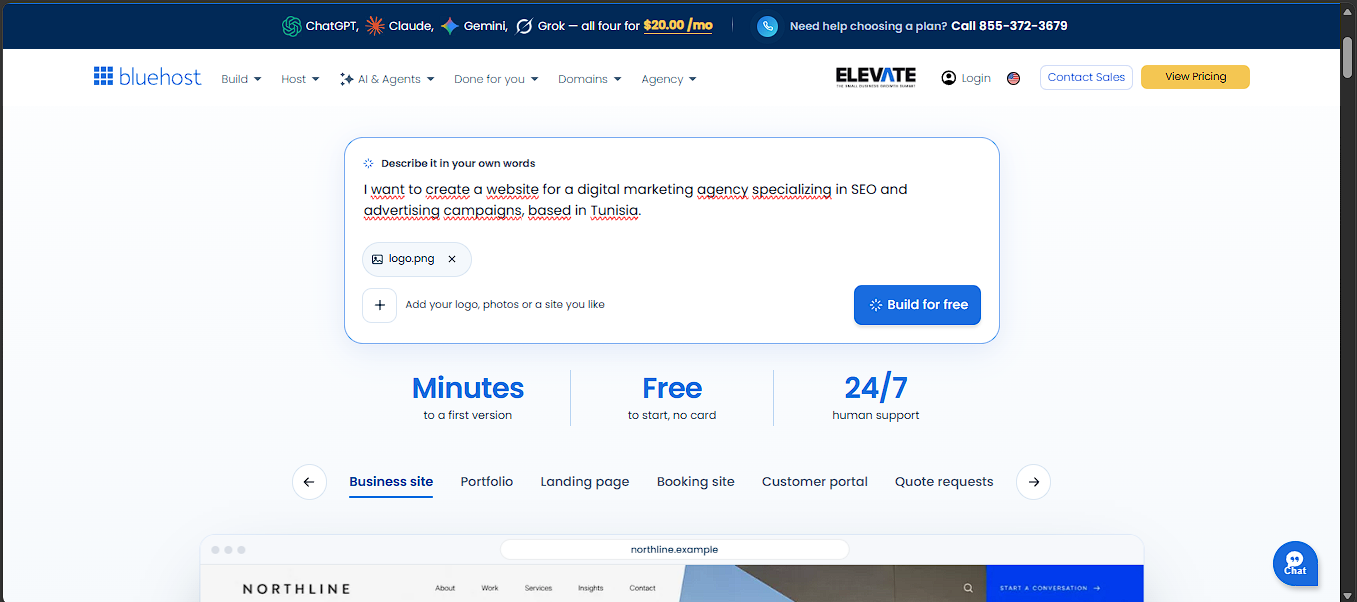
Describe the website you want to create
Start by telling the AI what your business does, who your customers are, which services you offer, and what you want visitors to do. The clearer your brief, the more relevant the first draft can be.


Ready to bring your business online faster? Bluehost AI Builder helps turn your idea into a professional-looking website or browser-based web app using simple, conversational instructions—without having to build everything from scratch. You can get started for $0 with no credit card required, explore the builder, and see what it can create for your business before committing to a paid plan. When you are ready for a custom domain or more AI credits, paid plans start at $20/month. If you have been putting off launching a website, this is a practical opportunity to test your idea, create your first version, and take the next step online. In this review, we look at the features, pricing, benefits, and limitations so you can decide whether it is the right fit.
Build smarter with Bluehost
Explore Bluehost AI Builder, test the free plan, and create your first website without a credit card.
$0 to start · No credit card required · Affiliate link
Bluehost AI Builder is worth considering for solo founders, local service businesses, consultants, and small teams that need a website plus practical workflows such as quote requests, bookings, customer accounts, or an internal directory. The strongest differentiator is that it aims to create both the public-facing website and the operational web app behind it, rather than stopping at a static set of pages.
The free plan lowers the barrier to experimentation, and hosting does not consume AI credits. The trade-offs are equally important: the free plan publishes on a Bluehost subdomain, credits limit how frequently you can ask the AI to build or change things, and the product creates browser-based web apps—not native iOS or Android apps. A generated website is also not a substitute for checking accuracy, accessibility, conversion flow, privacy, and search performance before launch.
Bluehost AI Builder is a conversational website and web-app builder. You describe the business, audience, pages, and actions you need in ordinary language. The builder can ask follow-up questions, generate a first version, show a preview, and accept further instructions through chat. You can also provide a logo, photos, or a website you like as visual inspiration. Bluehost says it uses reference sites for layout, colour, and tone rather than copying their text or images.
Unlike a tool that only produces a landing-page mock-up, the product is positioned to create working business experiences. A website can be extended with an app-like workflow—for example, a request form that stores submissions, an admin panel for managing them, user accounts with roles, or email alerts. This makes the service relevant to businesses that need to collect and manage information, not simply publish a brochure site.
For a small business, a sensible starting point is a site with a homepage, services, about information, contact details, and a clear primary action. You can describe the business and its desired tone, then refine the copy and page structure. This can reduce the blank-page problem, but the owner still needs to check every claim, service description, location, phone number, and call to action.
Freelancers, studios, and agencies can use a portfolio-style structure to present projects, explain services, and encourage enquiries. Supplying real work samples and properly licensed images is essential. AI-generated layout decisions should not replace proof of work, clear project descriptions, or a credible contact path.
Appointment-based businesses may be able to create a website with a booking flow. Before using it with customers, test the entire process: available dates, time zones, confirmation messages, cancellation rules, duplicate submissions, and what happens when a slot is no longer available. Do not assume a booking flow is production-ready just because it appears in a preview.
A trades business, marketing agency, or B2B provider could use a quote-request workflow to collect project details and manage enquiries. A customer portal or directory may also be possible. These use cases need particular care around personal data, access permissions, retention, and who can view or export submissions.
Small teams sometimes need a simple internal directory, a request tracker, or a lightweight admin interface. A conversational builder may help create a first version without a conventional development cycle. However, sensitive business processes should be reviewed for authentication, authorization, data handling, backups, and operational reliability before the tool becomes business-critical.
The published product workflow can be understood in six stages:
The important discipline is to give the AI precise instructions. “Build a website for my company” is too vague. A better prompt names the business, location, audience, services, required pages, brand style, and the primary conversion action. For example: “Create a modern website for a residential plumbing company in Austin. Include service pages, emergency contact details, service-area information, customer testimonials supplied by us, and a quote-request form. Use a clean, accessible layout and make the phone number prominent on mobile.”
ClickTN hands-on experience
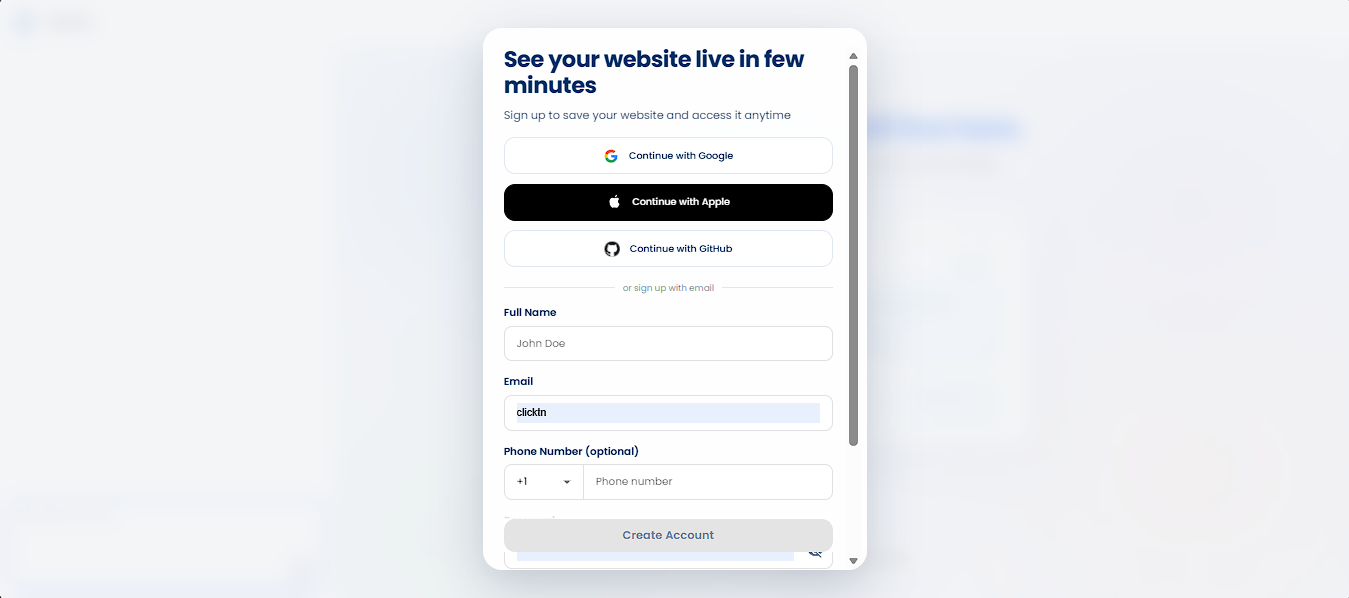
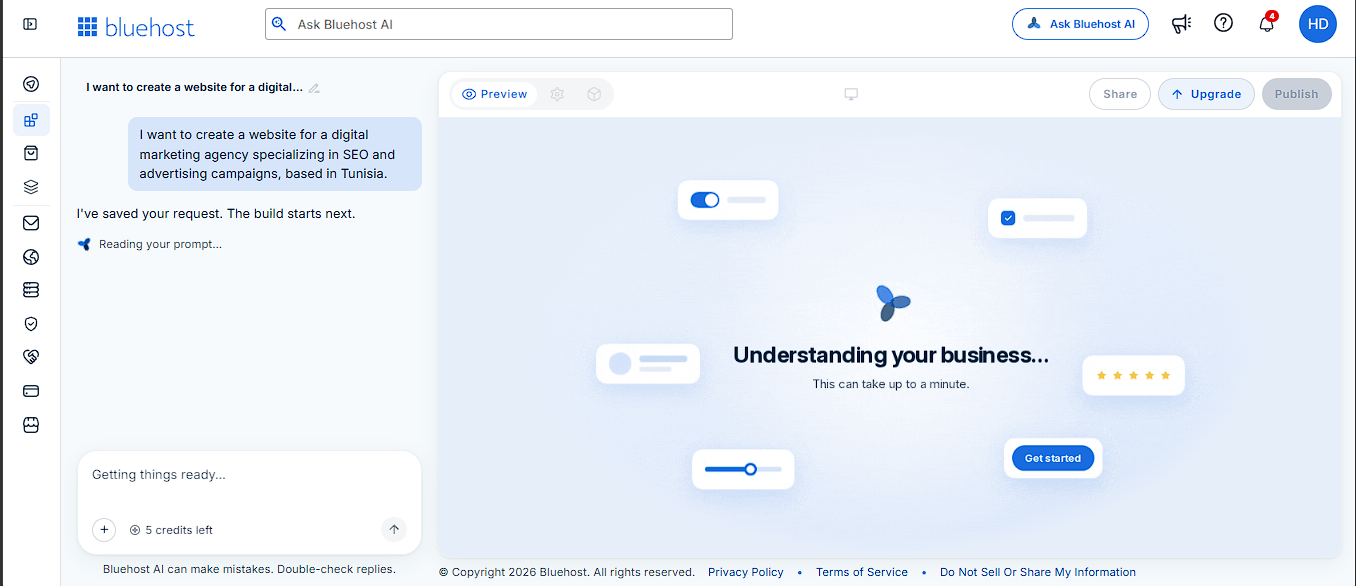
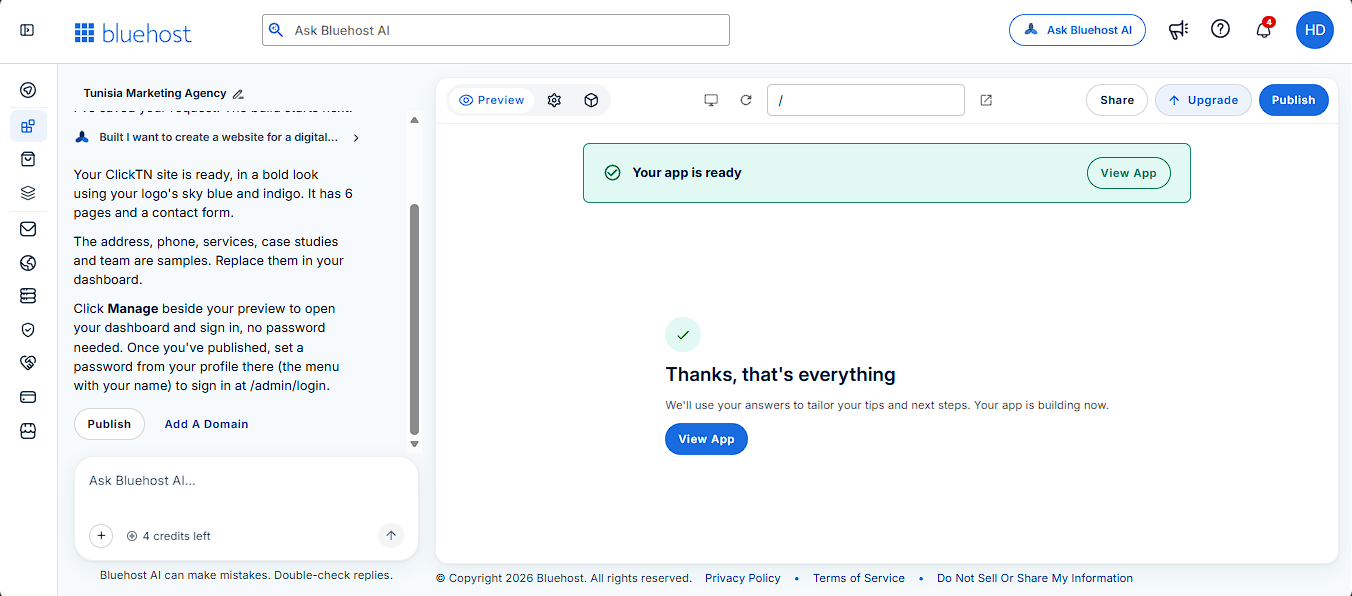
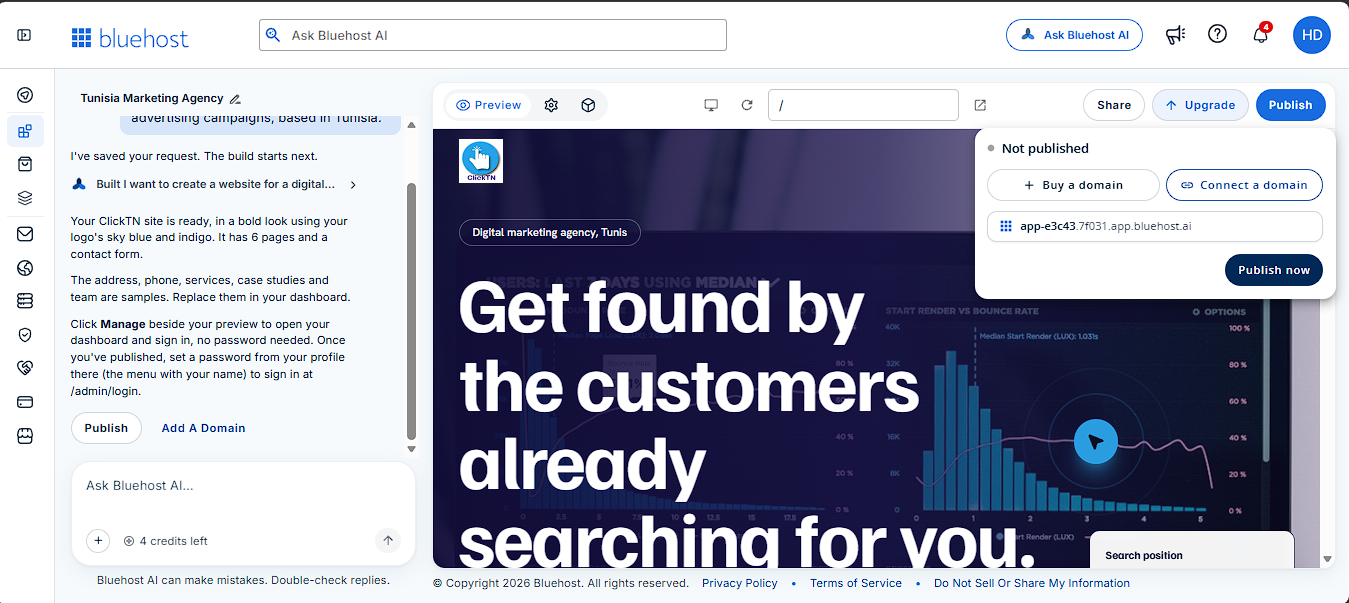
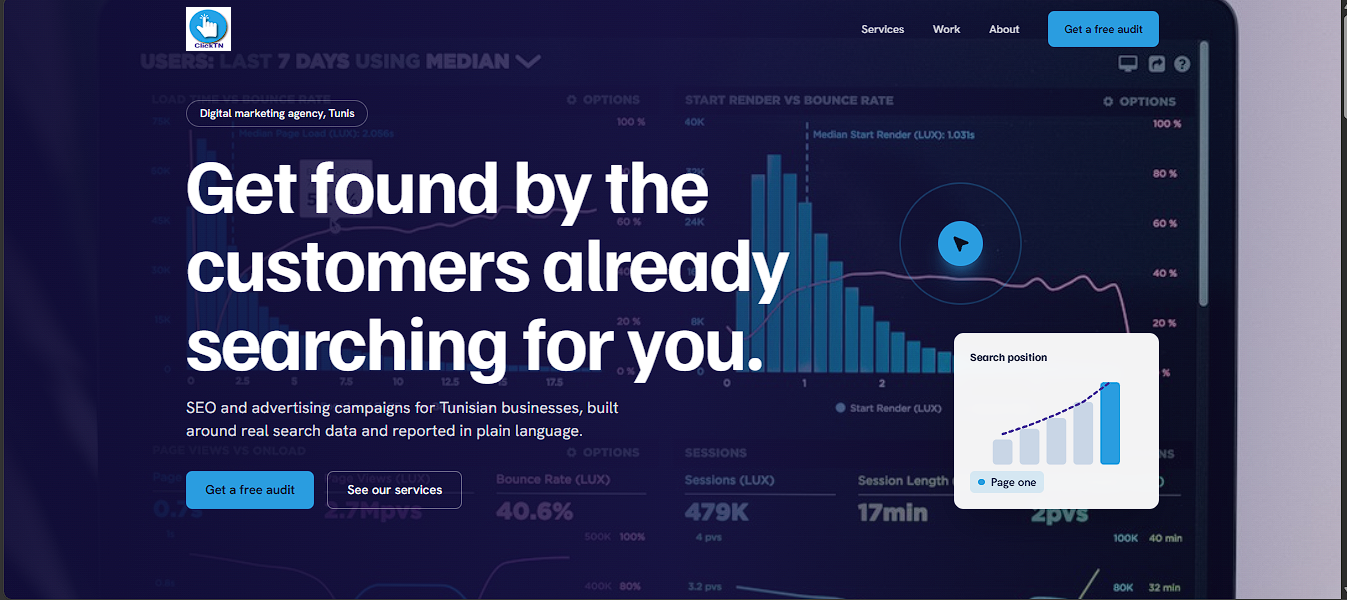
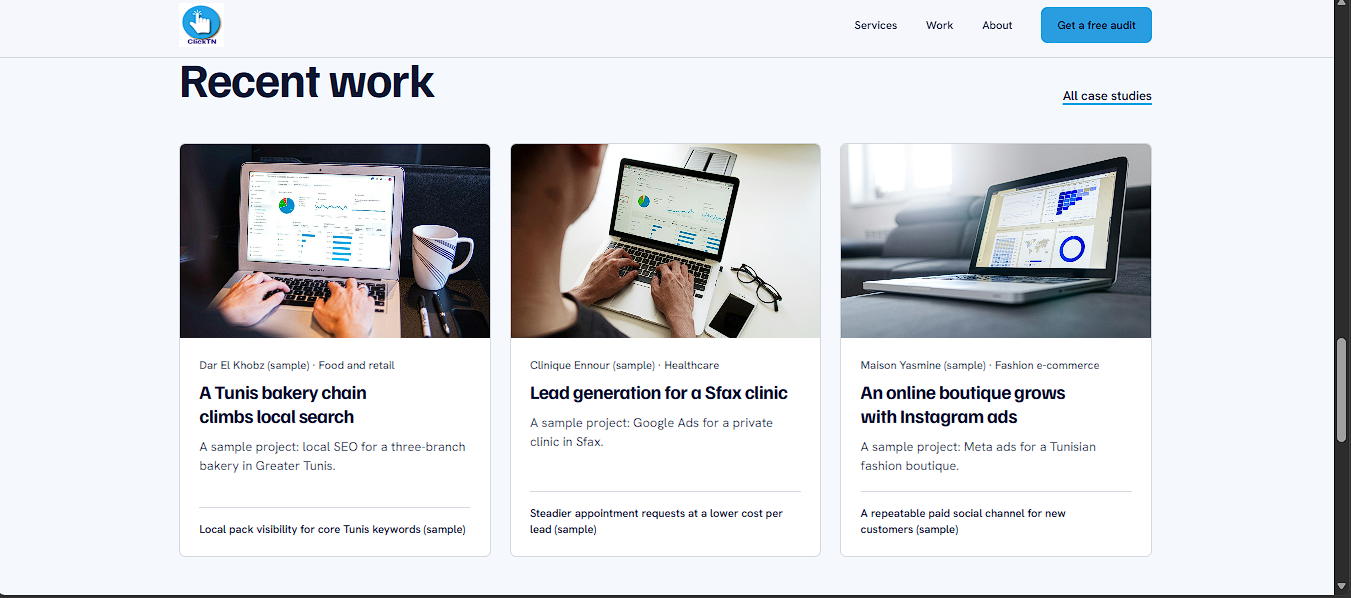
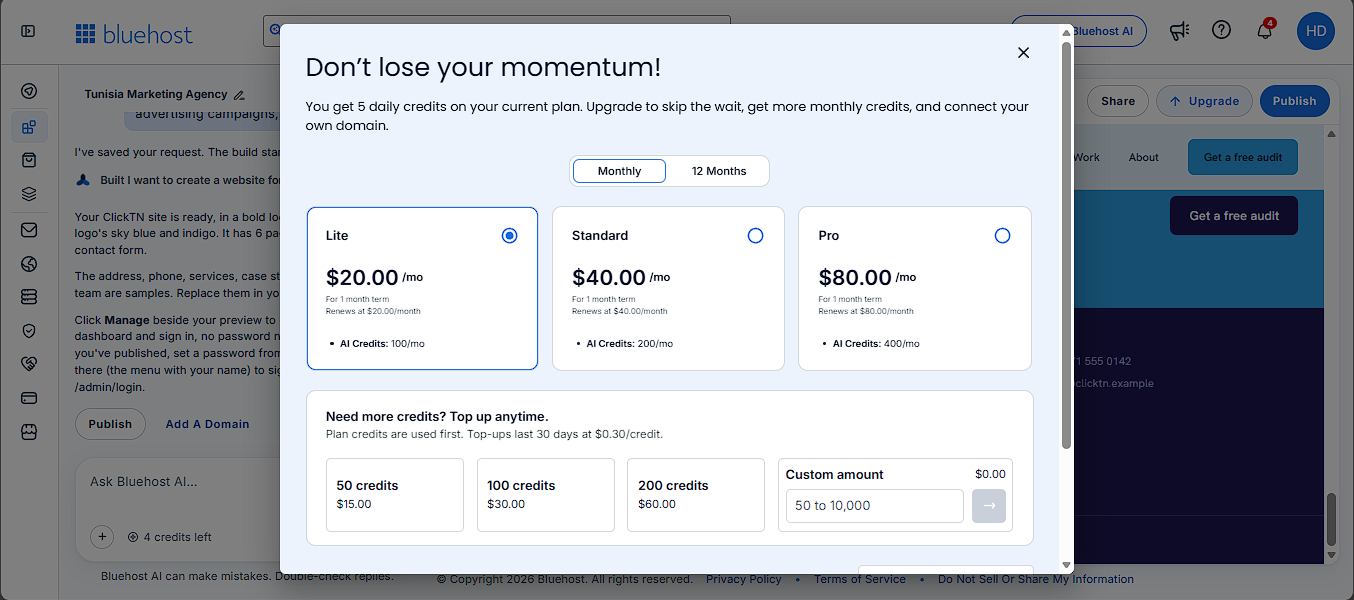
We tested Bluehost AI Builder by creating a website concept for a digital marketing agency. In our trial, the AI produced a first version ready to preview in under five minutes. The eight screenshots below show the actual journey—from the first description to publishing and exploring paid customization options. Your timing and available features may vary depending on the project and plan.
A practical way to get started
From a clear brief to a website ready for review in under five minutes—in our test. Take time to verify the content, test every important feature, and choose a paid plan only when its extra options are useful for your business.
ClickTN video tutorial
See the complete process, from creating an account and generating a website to previewing and publishing the result.
Prefer watching on YouTube? Open the video on YouTube.
Bluehost’s current AI Builder page lists a free tier and paid monthly plans. The following is the pricing displayed on the official product page when this article was prepared; prices and plan limits can change, so check the live pricing before purchasing.
| Plan | Displayed price | What to know |
|---|---|---|
| AI Builder Free | $0 | No card required; 5 credits per day, up to 30 per 30-day period; publishes on a Bluehost subdomain. |
| AI Builder Lite | $20/month | Up to 100 credits per month and the option to connect your own domain. |
| AI Builder Standard | $40/month | 200 credits per month for more frequent creation and updates. |
Bluehost also explains that hosting is included in the plans and does not use AI credits. The free plan can be useful for trying the workflow and publishing on a Bluehost address. A paid plan is needed to connect a domain you already own. Domain registration, renewal, and any third-party services should be checked separately rather than assumed to be included in the monthly builder price.
Credits are a practical limit to understand before you choose a plan. Bluehost says one message to the AI uses one credit, while the builder’s clarifying questions are free. The Free plan provides five credits a day, up to 30 in a 30-day period. Lite includes 100 monthly credits and Standard includes 200. Monthly plan credits and top-ups expire after 30 days. If you run out, new AI changes pause until credits refresh or you add more, but Bluehost says the live site stays online.
This means the free plan is suitable for a carefully scoped trial, not necessarily unlimited prompt experimentation. Prepare your content and requirements before prompting, group related changes into clear instructions, and reserve credits for meaningful improvements. A business that expects frequent redesigns or ongoing AI-assisted updates should estimate its monthly change volume before choosing a tier.
For businesses that need full control over a conventional WordPress installation, plugins, and hosting configuration, compare this product with a standard hosting solution. Our separate Bluehost WordPress Hosting review covers that different use case.
Good fit: A solo founder validating a business idea, a local service provider that needs an online presence and enquiry workflow, a consultant launching a lead-generation site, or a small team that wants to prototype an internal web tool. The free tier gives these users a way to explore the process before deciding whether to pay.
Less suitable: Developers who require granular control over the application stack, businesses with complex custom integrations or strict compliance requirements, teams that need native mobile applications, or organizations that expect a fully tested enterprise system from one prompt. In those cases, treat AI Builder as a prototype or starting point and involve a developer or technical reviewer before production use.
If you need more control over server resources, operating-system configuration or application deployment, compare this no-code approach with a Virtual Private Server (VPS) instead. Our guide explains when VPS hosting is more appropriate than shared hosting or a dedicated server.
Ready to build?
Start with the free Bluehost AI Builder plan, explore the workflow, and upgrade only if you need more credits or a custom domain.
Free plan available · No credit card required to start · Affiliate link
Bluehost AI Builder has a clear proposition: create a website and practical web app workflows through a conversation, with hosting and support in the same service. The free tier makes it reasonable to test for a small business, while the $20-per-month Lite entry point is relevant to users who want to connect their own domain and receive a larger monthly credit allowance.
Its value depends on the project. A straightforward service website or quote-request workflow may be a sensible match. A complex customer platform, sensitive data system, or highly customized application needs deeper technical review. Do not judge the product only by how impressive the first preview looks; judge it by whether the final site is accurate, accessible, secure enough for its use case, easy to maintain, and capable of converting visitors into customers.
Our recommendation is to start free, build one clearly scoped project, and test it end to end before paying. That gives you evidence about the output quality and credit usage instead of relying on marketing claims alone.
Pricing and product details checked against Bluehost’s published information on November 10, 2026. Always verify the current offer, plan terms, and credit allowances on Bluehost’s website before purchasing.
Hatem Dbabra is the founder of ClickTN, a digital marketing agency. He writes about digital tools, website platforms, online business, and marketing technologies, with a focus on practical use cases and limitations for businesses.
This article contains a Bluehost referral link. ClickTN may earn a commission if you sign up through it, at no additional cost to you. This commercial relationship does not change the criteria used in this review.

*Tunisia: Metameur , Medenine Tunisie
4111
*France: 28 Rue du Guet, Clamart 92140 FR