





*Tunisia: Oum Ettamer, Medenine 4111
*France: 28 Rue du Guet, Clamart 92140 FR
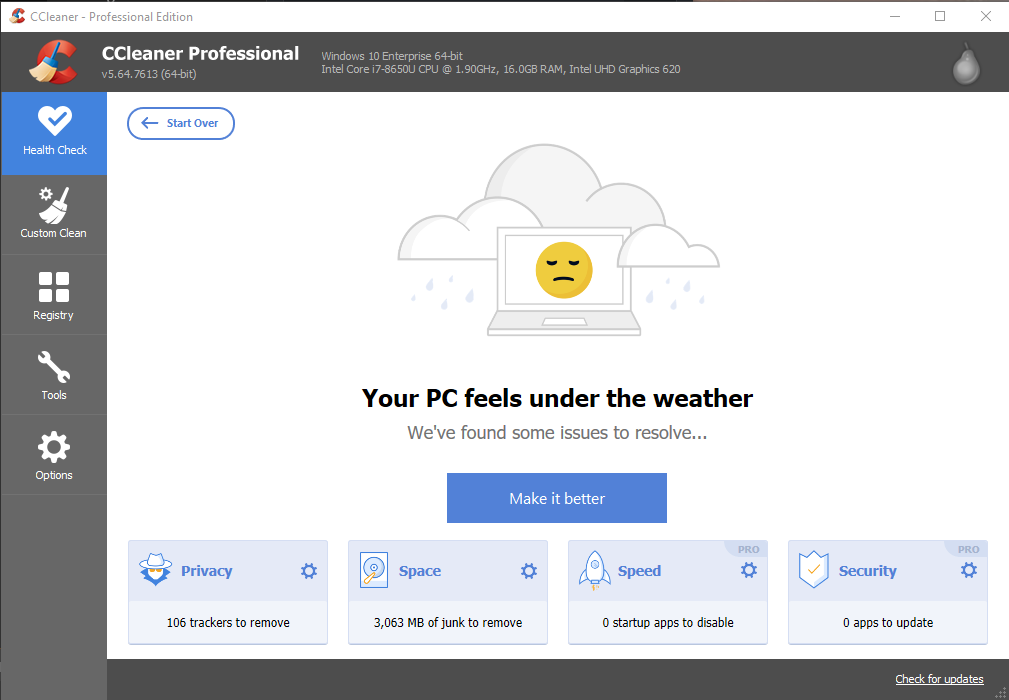
CCleaner is a PC cleanup utility. It can remove unnecessary files, manage selected browser data, review startup applications and provide additional maintenance tools. In 2026, the product has expanded beyond basic cleanup with features such as Health Check, Performance Optimizer, Driver Updater, Software Updater and cloud-drive cleaning on supported plans.
Check the current CCleaner editions and see which features are available for your PC.
CCleaner is a utility for Windows and other supported platforms that focuses on cleaning unnecessary data and helping users maintain their devices. Its core tools can remove selected temporary files, browser data and other junk while additional tools can help with application management, startup programs, software updates and performance optimization.
Health Check brings several common maintenance tasks into one interface. Depending on the edition, it can review privacy data, removable junk, startup programs and software updates. This makes it useful for users who prefer a guided maintenance workflow rather than configuring every cleanup category manually.
CCleaner also provides Custom Clean for users who want more control over exactly which Windows and application data is analyzed and removed.
Custom Clean lets users select specific Windows and application categories for analysis and cleanup. This is the better choice when you want granular control rather than a simplified one-click workflow.
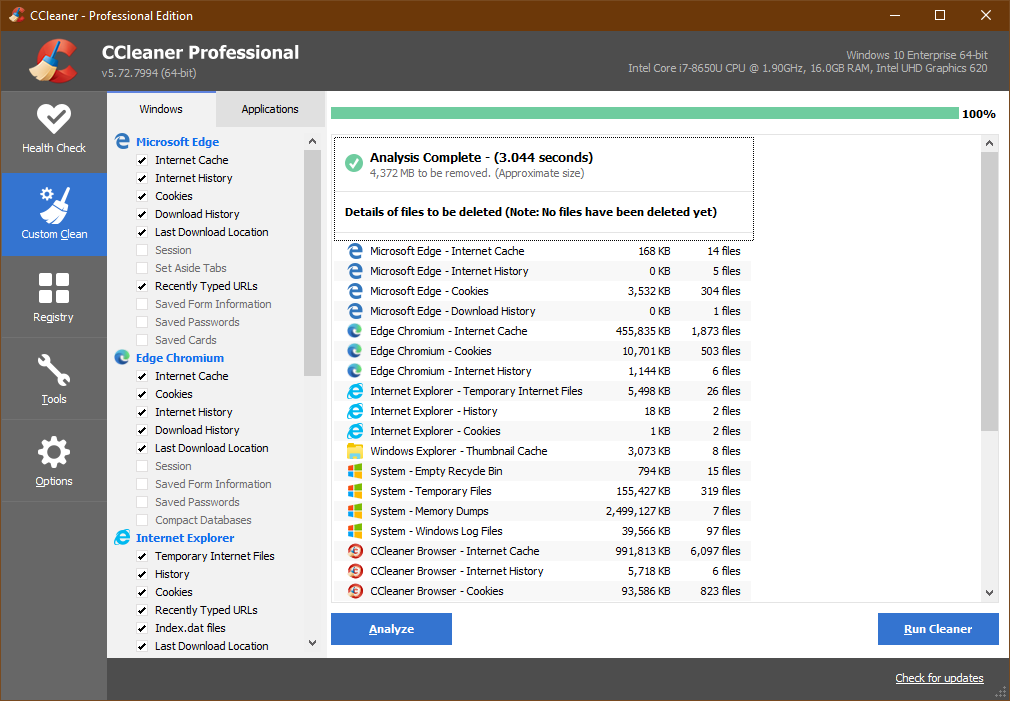
CCleaner Custom Clean provides a detailed view of data that can be removed.
CCleaner can remove selected browser history, cookies, cache and other browsing data. Use these options carefully: deleting cookies or saved browser information can sign you out of websites or remove preferences.
Health Check combines several maintenance recommendations in a simpler workflow. It can help users identify junk files, browser tracking data and startup items that may be worth reviewing.
On supported Professional plans, Performance Optimizer can put selected applications into a sleep state to reduce unnecessary background activity and help improve performance and battery usage.
Paid editions can include tools for updating supported applications and device drivers. Keeping software current can reduce compatibility problems and help address known security issues, although users should still review important updates before installation.
Current Professional offerings also include cloud-drive cleaning capabilities for supported services such as Google Drive and Microsoft OneDrive, with availability depending on the plan and product configuration.
CCleaner should be downloaded from an official or trusted source and kept updated. The main risk is not the basic concept of removing junk files; it is selecting data or system settings without understanding the consequences.
In particular, browser cleanup can remove cookies and other local data, while registry-related operations should be approached conservatively. Always review what a cleanup operation is going to change before applying it, and keep backups of important data.
Registry cleaning is one of the areas where users should be cautious. A large registry does not automatically mean a slow PC, and removing entries simply because they appear unused is not a guaranteed performance improvement. If you use registry-related functionality, create a backup and avoid aggressive changes unless you understand what is being modified.
CCleaner has a free edition for basic cleaning and privacy tasks. Professional editions add broader maintenance capabilities such as the more complete Health Check, Performance Optimizer, software and driver updating, real-time monitoring and scheduled cleaning, depending on the current plan.
| Capability | Free | Professional |
|---|---|---|
| Standard cleaning | Yes | Yes |
| Basic privacy protection | Yes | Yes |
| Full Health Check | Limited | Yes |
| Performance Optimizer | No | Yes |
| Software / Driver Updater | Limited | Yes |
| Real-time monitoring and scheduled cleaning | No | Yes |
CCleaner pricing varies by edition, device count, region and promotional offer. The official pricing pages currently list Free, Professional and Professional Plus options, with the paid editions adding more maintenance and optimization features.
Because promotional pricing can change, check the current offer before purchasing rather than relying on an old price shown in a historical review.
Not necessarily. Modern Windows versions already include built-in storage management and maintenance tools. CCleaner’s value is convenience and the additional controls it brings together in one application.
For users who prefer a centralized interface for cleanup, privacy controls, startup management and additional maintenance tasks, it can be useful. For users who only need to delete temporary files occasionally, Windows’ built-in tools may be sufficient.
Review the current editions and choose the option that matches your PC maintenance needs.
It helps clean unnecessary files and selected browser data and provides additional tools for PC maintenance, application management and optimization.
Yes. CCleaner offers a free edition, while Professional editions add more advanced maintenance and optimization features.
It can help by removing unnecessary files and managing selected startup or background applications, but software cleanup is not a guaranteed solution for every performance problem.
Use registry-related tools cautiously. They are not a guaranteed performance fix, and unnecessary registry changes can create problems if applied incorrectly.
Yes, supported cleanup options can remove browser cookies and other browsing data. This can affect logins and website preferences, so review the selected categories before cleaning. For a broader view of online privacy tools, read our Proton VPN review; a VPN protects network traffic, while CCleaner focuses on device cleanup.
Affiliate Disclosure: This article contains an affiliate link. If you purchase CCleaner through a ClickTN referral link, ClickTN may receive a commission at no additional cost to you. This does not affect our editorial assessment or recommendations.
*Tunisia: Oum Ettamer, Medenine 4111
*France: 28 Rue du Guet, Clamart 92140 FR
